Points
Points are the fundamental building blocks for geometry diagrams.
point
def point(
    x: float,
    y: float,
    label: str = "",
    *,
    label_dir: str = "NE",
    color: str = "black",
) -> Point
Create a point at explicit coordinates.
Parameters:
| Name | Type | Default | Description |
|---|---|---|---|
x |
float |
required | X coordinate |
y |
float |
required | Y coordinate |
label |
str |
"" |
Display label (empty for hidden point) |
label_dir |
str |
"NE" |
Direction for label placement (N, NE, E, SE, S, SW, W, NW) |
color |
str |
"black" |
Color for the point |
Returns: A Point with Concrete construction.
Example
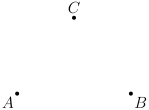
"""Basic point example."""

from geolet import autofigure, point


@autofigure
def point_():
    A = point(0, 0, "A", label_dir="SW")
    B = point(3, 0, "B", label_dir="SE")
    C = point(1.5, 2, "C", label_dir="N")
midpoint
def midpoint(
    p1: Point,
    p2: Point,
    label: str = "",
    *,
    label_dir: str = "NE",
    color: str = "black",
) -> Point
Create the midpoint of two points.
Parameters:
| Name | Type | Default | Description |
|---|---|---|---|
p1 |
Point |
required | First point |
p2 |
Point |
required | Second point |
label |
str |
"" |
Display label (empty for hidden point) |
label_dir |
str |
"NE" |
Direction for label placement |
color |
str |
"black" |
Color for the point |
Returns: A Point with Midpoint construction.
Example
"""Midpoint example."""

from geolet import autofigure, midpoint, point, segment


@autofigure
def midpoint_():
    A = point(0, 0, "A", label_dir="SW")
    B = point(4, 0, "B", label_dir="SE")

    segment(A, B)
    M = midpoint(A, B, "M", label_dir="S")

foot
def foot(
    pt: Point,
    onto: Line | Segment,
    label: str = "",
    *,
    label_dir: str = "NE",
    color: str = "black",
) -> Point
Create the foot of perpendicular from a point to a line/segment.
Parameters:
| Name | Type | Default | Description |
|---|---|---|---|
pt |
Point |
required | Point to drop perpendicular from |
onto |
Line \| Segment |
required | Line or segment to drop perpendicular onto |
label |
str |
"" |
Display label (empty for hidden point) |
label_dir |
str |
"NE" |
Direction for label placement |
color |
str |
"black" |
Color for the point |
Returns: A Point at the foot of the perpendicular.
Example
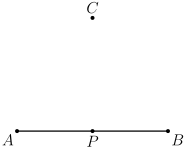
"""Foot of perpendicular example."""

from geolet import autofigure, foot, point, segment


@autofigure
def foot_():
    A = point(0, 0, "A", label_dir="SW")
    B = point(4, 0, "B", label_dir="SE")
    C = point(2, 3, "C", label_dir="N")

    seg = segment(A, B)

    P = foot(C, seg, "P", label_dir="S")
    segment(C, P, style="dashed", color="gray")
Styling
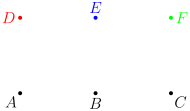
"""Point styling options."""

from geolet import autofigure, point


@autofigure
def point_styles():
    # Default point
    A = point(0, 0, "A", label_dir="SW")

    # Different label directions
    B = point(2, 0, "B", label_dir="S")
    C = point(4, 0, "C", label_dir="SE")

    # Different colors
    D = point(0, 2, "D", label_dir="W", color="red")
    E = point(2, 2, "E", label_dir="N", color="blue")
    F = point(4, 2, "F", label_dir="E", color="green")

    # Unlabeled point
    G = point(2, 4, "")